
106: Keep Playing, Kill the Screen
Black Screen: video screen off
Black Screen by jApp is a deceptively simple utility that solves a surprisingly common problem. The app turns your phone screen completely black while keeping audio and video playing in the background. With over five million downloads and a four point six star rating across fifty-two thousand reviews, it has become an essential tool for anyone who uses their phone as a music player, podcast device, or background entertainment source. The problem it solves is obvious once you encounter it: your phone screen burns battery and creates distraction, but you still want the audio to keep going.
The app is positioned for music listeners who leave their phone playing while working or sleeping, podcast listeners who want audio without the distraction of a glowing screen, video watchers who want to listen to video content like podcasts or interviews without the screen draining battery, users who want to cast audio-only content to speakers, and anyone who wants to save battery while using their phone as an audio source.
What It Does
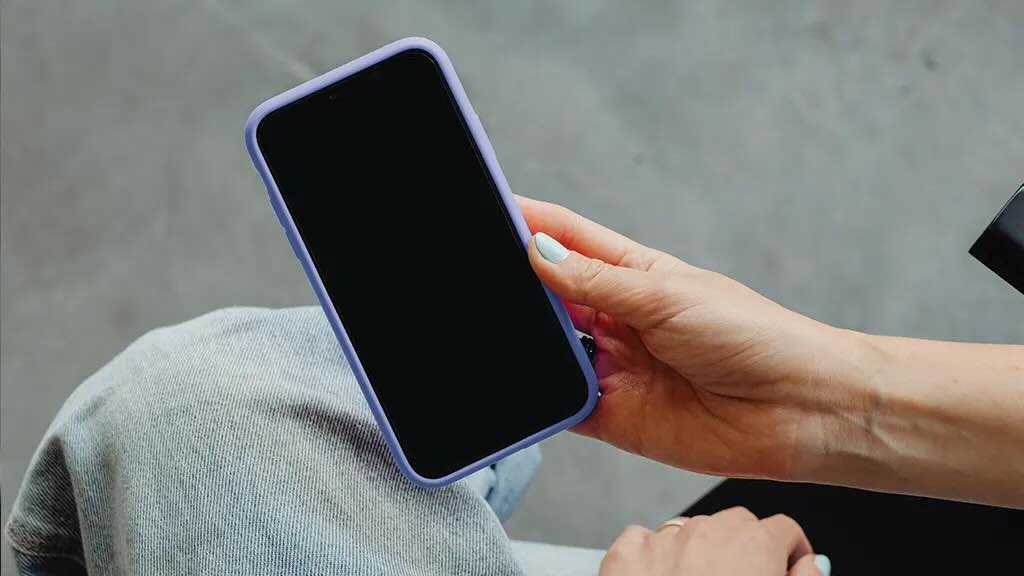
The app does one thing. You open it, the screen goes black, and whatever audio or video is currently playing continues without interruption. There is no menu to navigate, no settings to adjust, no learning curve to climb. This simplicity is the entire value proposition.
You can play music from any app, any podcast from any platform, or any video from YouTube, and then open Black Screen. The screen turns off while the audio continues. You can lock the phone if you want, or leave it unlocked. The audio keeps playing either way.
The app prevents the screen from timing out and going dark in the normal way, which is what forces the audio to stop on most phones. Instead, it keeps the display technically active but set to pure black, which consumes almost no battery compared to an active display showing content.
A small floating control appears on the black screen, giving you basic playback controls without needing to unlock the phone or navigate back to the original app. You can pause, play, skip, and adjust volume directly from the black screen overlay.
The keep-awake feature works through standard Android APIs, making it compatible with virtually all audio and video applications. There is no special integration required from the media app you are using.
Why It Works
The app solves a real hardware limitation. Most Android phones stop playing audio when the screen goes off, unless you dig into developer settings or use a media player with built-in keep-awake features. Black Screen provides a universal workaround that works with any app, any media type, and any Android version.
Battery savings are real and measurable. A pure black screen on an OLED display consumes negligible power compared to a normal display. Users who stream music or podcasts for hours while working or sleeping can extend their battery life significantly by eliminating the screen draw.
The distraction elimination is psychological as much as practical. A black screen removes the temptation to check notifications, browse social media, or get pulled into another app. When you want to focus on audio content, the absence of a glowing screen removes the visual pull of the phone.
The app is completely free with no required purchases. There is no premium tier gating essential features, no subscription, no in-app purchases. The developer has chosen to monetize through optional non-intrusive methods that do not interfere with the core experience.
Storage footprint is tiny. The app occupies only a few megabytes, making it easy to keep installed for the occasional use case without worrying about space.
Where It Falls Short
The floating control can be intrusive for some users. While small, it still appears on the black screen and can be visually distracting if you are trying to enjoy a relaxing audio experience in a dark room. There is no option to hide it completely.
The app does not work for all use cases. If you want to keep the screen off while using other apps or navigating your phone, Black Screen is not designed for that. It is strictly for media playback scenarios where you want the screen inactive while audio plays.
No scheduling or automation features exist. Users who want the screen to automatically go black at certain times or under certain conditions will need automation apps to trigger the behavior. The app does not integrate with task automation systems.
The visual design of the floating control is basic and utilitarian. While functional, it does not match the polish of modern interface design. This is a minor aesthetic complaint but noticeable if you care about visual consistency.
Some aggressive battery optimization on certain phone brands can interfere with the keep-awake functionality. Users on Xiaomi, Huawei, or Samsung devices with aggressive background task killing may need to whitelist the app to ensure reliable operation.
The app does not provide any audio controls beyond play, pause, skip, and volume. Users wanting equalizer adjustments, sleep timers, or advanced playback features will need separate applications.
Who Should Use It
This app is for anyone who listens to music, podcasts, audiobooks, or videos for extended periods while doing other things. It is particularly useful for people who work at desks and leave their phone playing, people who fall asleep to audio content, people who use their phone as a source for Bluetooth speakers, and anyone who wants to extend battery life during long audio sessions.
It is also useful for users with OLED displays who want maximum battery savings during media playback. The pure black screen on OLED technology is the most power-efficient display state possible.
Final Thoughts
Black Screen by jApp is a focused utility that does exactly what it promises. The five million download count and four point six star rating reflect genuine user satisfaction with a tool that solves a simple but real problem. The screen keeps playing audio, the battery lasts longer, and the distractions go away.
The app is not glamorous, not feature-rich, and not trying to be anything more than it needs to be. That restraint is its greatest strength. You open it, the screen goes black, and you get back to whatever you were doing without giving your phone another thought.
Rating: Eight out of ten. A brilliantly simple utility that solves a common problem with zero complexity. Minor interface complaints and limited advanced features are irrelevant given the apps focused purpose. Strongly recommended for anyone who uses their phone as an audio player.